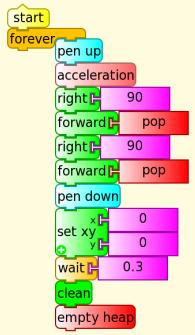
Monday, September 24, 2012

Hackable places

I recently got my Raspberry Pi, a cheap single board Linux computer designed for education and hacking. I already have OLPC laptops and Arduinos as hackable places, but it looked like fun. Now I have it I can assess it as a learning tool in home and school contexts.

You can buy from Element 14/Farnell or RS Components  for A$38 but after freight it was A$56 (A$1 is approximately US$1). It arrived from Element 14 in 2 days. Home/school will probably have some of the accessories at hand, but if not the full cost is:

 Rasperry Pi with tax and freight           A$56
 Power supply 5V micro USB              A$20
 Memory card 4GB                             A$15
 AV cable                                            A$2
 USB keyboard                                    A$14
 USB mouse                                         A$5
 Television                                            ?
 Total                                                   A$112+

Compare that with another Linux computer designed for educational hacking, the OLPC laptop at $188 or more realistically $200+ with freight. Consider an old unused PC or laptop as a hacking platform.

Writing the OS, Raspian (Debian) Wheezy, to the memory card was easy, once I really read the instructions. I used the Linux method to setup the card using dd an OLPC XO laptop, I did have to use another computer to unzip the 1.9GB OS when it failed on the XO.

Not having a hi definition TV I used composite video (the yellow plug). I was disappointed with the screen resolution. Its presumably quite good on a hi def tv.

Rasperry Pi GUI, LXDE displayed on a composite TV

Next step was to run the Raspberry Pi remotely from an OLPC laptop using ssh.

Get the IP address of the raspberry Pi

  hostname -I


That's the last time you will need the Rasperry Pi keyboard or TV unless its IP address changes. On the OLPC XO laptop in Terminal enter:

ssh -X ipaddress -l logon 
for example
ssh -X 10.1.1.5 -l Pi

That brings up the Raspberry PI command line interface on the XO. You can run xwindow programs, they display using the XO's window manager.

The Rasperry Pi File Manager displaying on an XO

You cannot start the Pi's desktop with the usual startx, but you can run almost everything using the XO desktop eg

pcmanfx  the file manager
midori      web browser
leafpad     text editor
idle          python IDE
lxtask      the task manager


Though startx does not start the Pi desktop but startlxde gives some success. In Sugar, the desktop is always hidden but the bottom menu bar is available. Using OLPC build 3 13.1.0 in Gnome, the Pi's desktop is visible, possibly due to a bug where the XO's Gnome desktop is not displayed.
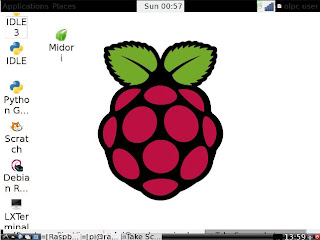
The Pi's desktop, LXDE displaying on an XO running Gnome, (build 3, 13.1.0)

So why use the Pi at home or school? School is unlikely to have a class set of TV's or space for them. Home is unlikely to have the USB keyboard, power supply and cables. But both school and home are likely to have older underpowered PC's or laptops (which can be reimaged to Linux if desired) and used as hacking platforms. Those with OLPC laptops have a computer, purpose designed for hacking.

The Pi does provide an additional hacking platform, having multiple platforms is a good thing, not all tasks 'click' or work for all learners.

The Pi can be used as an I/O board like the Arduino. Unfortunately its I/O pins are not protected and can be damaged by 0V (27mA) or voltage >3.3V. Compare with the Arduino I/O which can source up to 20mA to ground and be connected to 5V.

Labels: , , , , ,

Sunday, June 10, 2012

Galton Box

The Galton box, is a device invented by Sir Francis Galton to demonstrate the central limit theorem, in particular that the normal distribution is approximate to the binomial distribution. The machine consists of a vertical board with interleaved rows of pins. Balls are dropped from the top, and bounce left and right as they hit the pins.

http://en.wikipedia.org/wiki/Bean_machine


Galton Box in Game Maker, source and executable


Galton Box in Turtle Blocks Source

Challenges:
  • At the moment the balls have an equal chance of going left and right. What happens if you change it? Why?
  • Change the number of rows. What happens? Why?
  • What is the relationship between this and a similar experiment in coin tossing Turtle art , Game Maker ?

Labels: , , , ,

Thursday, February 16, 2012

XO laptop in Antarctica


The laptop was on holidays. Its most southerly point was 68°12’S 69°28’W
This photo was taken at Orne Harbour 64˚37’S 62˚32’W

Labels: , , ,

Tuesday, January 24, 2012

Wedo plugin for Turtle Art


Download here a plugin for TurtleBlocks V131 (tested on OS880 Sugar 0.94) . It is a rework of a project by I.T. Daniher which has been dormant since March 2011. Here and here.

Download the file and unzip it, copy wedo-plugin to the plugins directory of Turtle Blocks (/home/olpc/Activities/TurtleArt.activity/plugins).


Known problems:
Turtle Blocks will not start unless a Wedo is connected
The distance sensor gives bad values if the motor is running

Labels: , , , , ,

Saturday, January 21, 2012

Arduino and the XO laptop


The Freetronics Leostick is a low cost Arduino board. (It is presumed to be low cost, it was cheap enough to place into the satchels of the attendees of LCA2012.) The XO-1.5 already has 2 channel analogue input, an Arduino board can add a lot of extra input and output channels.

This could facilitate a number of low cost science and robotics experiments in schools, experiments at a cost suitable for developed and even developing countries.


There are a number of ways such a board could be used:
  • from the Arduino IDE
  • from TurtleArt, Firmata running on the Arduino
The second version is probably the most practical for classroom use. Once the Leosticks are loaded with Firmata (and this could even be at the factory) all that is requited is TurtleArt drag and drop programming.

Installing the Arduino IDE onto a XO-1.5 laptop (OS880)
In terminal enter the following

sudo yum install arduino

This installs an older version (0021), more importantly it installs all the dependencies including Java and avr-gcc. It is a 60MB download which expands to 200MB of storage, be warned it uses up a lot of precious space.


The IDE can be started from the Gnome menu or with the command

arduino

but it does not have the permissions to see the Arduino board on the USB serial port so start it as root (maybe why)

sudo arduino

The IDE can then be upgraded to version 1.0. This is the version recommended for the Leostick. Download version1.0 from http://www.arduino.cc/en/Main/Software
The file arduino-1.0-linux.tgz uncompresses with the Gnome archive manager. Uncompress it to a convenient location, if for example if you uncompress it to Documents, you will find a directory arduino-1.0 in this directory.

You now have 2 versions of the program, 1.0 (at /home/olpc/Documents/arduino-1.0 ) and 0021 (with components at /usr/share/doc/arduino-0021 and /usr/bin). The later versions 1.0 uses the dependencies installed with the earlier one 0021.

As described at http://www.freetronics.com/pages/leostick-quickstart-guide uncomment the following lines in /home/olpc/Documents/arduino-1.0/hardware/arduino/boards.txt

(or in version 0021 you would need to add them)

leonardo.name=Arduino Leonardo
leonardo.upload.protocol=arduino
leonardo.upload.maximum_size=28672
leonardo.upload.speed=1200
leonardo.bootloader.low_fuses=0xde
leonardo.bootloader.high_fuses=0xd8
leonardo.bootloader.extended_fuses=0xcb
leonardo.bootloader.path=diskloader
leonardo.bootloader.file=DiskLoader-Leonardo.hex
leonardo.bootloader.unlock_bits=0x3F
leonardo.bootloader.lock_bits=0x2F
leonardo.build.mcu=atmega32u4
leonardo.build.f_cpu=16000000L
leonardo.build.core=arduino
leonardo.build.variant=leonardo

Launch the Arduino IDE (sudo /home/olpc/Documents/arduino-1.0/arduino), and select Tools > Board > Arduino Leonardo.
to select the Leonardo hardware

select Tools > Serial Port
a new device appears with Leostick plugged in, dev/ttyACM0, select it.

You can now upload example programs, eg blink, to the Leostick.

NOTE: this will overwrite the program that came with your Leostick that plays a tune, watch
http://forum.freetronics.com/viewtopic.php?f=27&t=167
for the original program


Controlling the Arduino with Turtle Art
Load Firmata software into the Leostick, this can be done on an OLPC, another Linux PC or Windows. Once this is done the Leostick can be used as a I/O expander for Turtle Block drag and drop programming. No Terminal or Gnome work would be needed.

http://tonyforster.blogspot.com/2010/10/arduino-fork-of-turtle-art.html

The version here works for older Arduino boards on Sugar 0.88 It needs patching at TurtleArtActivity.py, line 834 as described in the link above. The baud rates of Turtle Art and Firmata need to be patched.

Sugar 0.88 (Fedora 11) recognises an older Arduino board as as serial device but not the Leostick. Later Arduino boards are dev/ttyACM0

This version is hard coded to dev/ttyACM0, that means it only works the first time the Leostick is plugged in and not at all for older Arduino boards. It is patched and works on Sugar 0.94.

The quick and dirty patches are:
Turtleartactivity line 835
self.palette_buttons[i].set_tooltip('thing')
line 868 commented out
# palette_toolbar_button.set_expanded(True)
serialposix.py line 273
# self.fd = os.open(self.portstr, os.O_RDWR|os.O_NOCTTY|os.O_NONBLOCK)
self.fd = os.open('/dev/ttyACM0', os.O_RDWR|os.O_NOCTTY|os.O_NONBLOCK)


see also:
http://tonyforster.blogspot.com/2010/10/turtle-arduino-display-inputs.html
http://tonyforster.blogspot.com/2010/10/turtle-arduino-digital-write.html

Labels: , , ,

Wednesday, November 09, 2011

Turtle checksums


Here is a Turtle Art program that calculates the checksum of a South American 7 digit identity number. Source. You can get the algorithm as a spreadsheet

Challenges:
How many ID numbers share a checksum?
Find 2 ID numbers with the same checksum, not by trial and error
The 'key' is 2987634, what restrictions are there on the key that could be used?
What is the effect of having the digit 0 in the key?

Labels: , , ,

Saturday, November 05, 2011

RGB colour addition


source
Demonstrates colour addition using Turtle Blocks

Challenges:
vary the brightness of the colour circles, you could use the keyboard

Labels: , , ,

Sunday, October 09, 2011

XO-1.75 seismograph

A seismograph program which uses the accelerometer of the OLPC XO-1.75 laptop

The x,y,z accelerometer readings are saved in boxes x,y,z. Action 1 computes long term averages for these readings, (boxes a,b,c), 5% of the current reading is added to 95% of the long term average to compute a new long term average.

Action 2 determines a threshold of random noise which is ignored. It sums the squares of the deviation from average (x-a)^2 + (y-b)^2 + (z-c)^2 . If this figure exceeds 10, the screen is turned red to indicate that an event is occuring.

Action 3 prints the sum of the squares of the deviations and the x,y,z deviations.
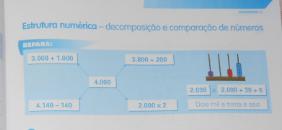
Project source

Challenges:
  • When an event occurs, graph the 3 channels (a)
  • Save the 3 channels events with a time stamp for exporting into a spreadsheet (b), (c)
  • Set up a network of laptops, an event is considered to have occured if all register it. (Use turtle position to share data)

Labels: , , ,

Tuesday, August 23, 2011

XO-1.75 accelerometer


A turtle spirit level or plumb bob.

The 'Acceleration' block pushes the acceleration for the x,y,z axis onto the heap, this includes gravity, resolved into these 3 components. The artan of the x and y components is the angle of the line pointing towards the lowest part of the screen.

Source

An alternate solution:

Labels: , , ,

Sunday, July 31, 2011

East Timor continued, video


(10 minutes)

Or see the short version (3 minutes)
http://www.youtube.com/watch?v=1C6Ru1hpDjk

Labels: , , , ,

Wednesday, July 20, 2011

Timor reflections

Reflections on the East Timor visit
The purpose of this visit was to expand the use of the laptops. The original training had concentrated on developing computer skills. This meant that the computers were being used mainly for 'office' skills and had limited use. The goals, as understood before the visit, were to
  • increase the relevance to the curriculum, particularly maths
  • increase the use as a more creative tool
To this end, materials were developed for maths and more creative use.

Creating narratives
We are told that kids are not good at creating narratives or imaginative writing. They tend to respond only with yes/no answers. When asked to role play, they say "they made me change my name" or when asked questions they have difficulty answering in role and answer as self. If shown a cartoon of farm animals they are all called ‘toy’, not ‘pig’ or ‘horse’ (in Tetun), kids are reluctant to make ‘oink’ and ‘neigh’ noises etc.

We observed kids in prep doing imaginative play with Lego in free play time. There is also a rich Timorese oral history of poetry (eg.). It is reasonable to assume that there is innate creativity but that the types of creativity we are expecting don't match what they are culturally attuned to.

(these maybe relevant: Orality in literacy, listening to indigenous writing and Indigenous literacies - a literature review)

It is worth noting that kids are not being asked to create in their first language. The language at home is not Tetun, it is one of the other languages, possibly Mambai. The languages of instruction, Tetun and Portuguese are likely to be the second and third languages.

It is also worth noting that East Timor has only recently recovered from war.

Another possible issue, the novel didn’t appear till the 1700‘s and was then criticised as being trivial, maybe creative writing isn’t that easy and we shouldn’t be too surprised at the kids difficulty.

Possible remedies, match the task to existing forms of cultural expression. An essay on "what I did in the school holidays" might be a poor match. Get kids to first role play with Lego and then create narrative. Show short videos to catalyse discussion, virtual soccer, video games. Try oral works, music, dance, art as bridging media.

We did come prepared with some lessons which encouraged creativity but in the end mainly concentrated on math drill with Tuxmath and Gcompris, the creative lessons were too big a leap from the previous laptop use.

The original vision for OLPC was for child ownership and saturation in a situation where the education system was broken. The laptop was seen as a constructionist tool where unguided exploration would lead to experimentation and creativity. This deployment was neither child owned nor saturated. The school was functioning well and relatively well resourced.

Resources in one classroom

The feel was not dissimilar to a computer lab in a developed country. Moving from lower order skills to higher order skills (as defined in eg. Bloom's Taxonomy) is not an easy thing to accomplish in a developed world computer lab, why would it be any easier here?

1:1
Laptops will be trialed with 2 kids per laptop in grade 3, previously the larger grade 3 had not used the laptops because sharing laptops was considered impractical.

Child ownership
The children do not take the laptops home, we discussed the possibility of teachers taking the laptops home.

Child ownership can extend further than the hardware, the child can also own their learning. The laptop was 'designed for collaborative, joyful, self-empowered learning'. Tom showed the TED Hole in the Wall talk which I think had a lot of impact.

The laptops are shared between classes, each laptop has four 'owners'. The laptops are currently named 1,2,3 ... , we discussed the Chat Activity and allowing kids to rename laptops for a session.

We discussed letting the children use Chat in an unstructured, free for all way. I have done that in the past, its chaotic and challenging for the teacher but has strong benefits for literacy.

Power
Mains power is erratic and had been off most days. There is no classroom recharging, a tangled mess of leads and powerboards is impractical. Flexible furniture arrangement makes permanent power leads impractical. Multiple pendant leads are probably too expensive and still visually difficult. Need to try the laptops' automatic power management out to extend battery time.

The laptops are stored in a locked cupboard in the principal’s office. They are charged on a table in the office in a tangled mess of power boards. Laptops stacked ontop of each other could overheat. Charging is hit and miss because of unreliable power.

Laptop storage

The desk where all 20 laptops are charged

They are not left plugged in overnight, although they would charge if the power comes back on. This is maybe to reduce the risk of theft. Discussed having a lockable timber charging rack built.

http://wiki.laptop.org/go/Nepal:_Technical_Details

LinkOther issues
There was one XO1.0. It was software locked. We could not install the intended unsigned software image.

We had been told that the Portuguese language was not required because the teachers expected computers to talk English. It turned out that was based on using the computer as an office tool. Once the range of Activities was increased, there was renewed interest in Portuguese.

The server
The school server opens up other uses, in part because it supports a directory based filesystem. Downloading the Tetun language Wikipedia now becomes practical.

Labels: ,

Sunday, July 17, 2011

East Timor continued

Saturday morning

We went to Hera market in the morning.
Hera Market

In the afternoon Tom worked on the server and I tried to learn more Tetun.

The others went to Sidhara village to see a bread making demonstration.. An irrigated community garden has been established there.
Bread oven

Later we went snorkeling at Caz Bar beach, up to the big statue at Christo Rei, the supermarket and dinner at a restaurant on the beach.

Caz Bar beach, Dili

Christu Rei

The power went off at sunset and didn’t come back for 24 hours.

Sunday morning
Power still off. Up to the school to pick up 5 laptops. Ran the generator for an hour or so to cool the refrigerators and charge the laptops. Tom worked on the school server, now working if a config file on the laptops is changed. Carol and I tried out Activity sharing on an Ad Hoc network.

Sunday afternoon, church service at Sidara village.

Sidara Village

Monday morning
Tom worked on the server
Carol and I worked on activity sharing

Up to school to do Gcompris Activity with class 2A
Video

Monday afternoon Tom worked on server and I watched

The server works!!

Monday night Into dili and stayed Dayan and Merna Barbossa of WEC. Night soccer match didn't happen because power was off.

Tuesday
Off to Care this morning, in principle permission to use digitised Care resources on the laptops.
Care Dili

Labels: , , ,

Saturday, July 16, 2011

East Timor Laptop Deployment

Hera,Timor Leste, (East Timor) 7 July 2011
Thursday Morning


Tom and I arrived in Hera yesterday. We were met by Branca at Dili airport and driven the 40 minutes to Hera.

Landing at Dili airport

Timor Leste is an island nation 1½ hours northwest of Australia. Originally a Portuguese colony, they declared independence in 1975 and were then were occupied by Indonesia. A bitter 25 year guerrilla war followed, culminating in independence in 1999. The nation was left with nearly all the infrastructure destroyed . Further unrest occurred in 2006. Timor Leste is now working to reestablish itself after this difficult past.

The population speaks a large number of local dialects, Tetun (the Tetun Dili dialect) is the lingua franca, and lesser amounts of Portuguese, English and Bahasa Indonesia. The two official languages are Portuguese and Tetun. Schooling is in both Portuguese and Tetun.

Kids Ark School, Hera, Timor Leste

The Kid’s Ark school is a P-4 school founded by Brazilian missionaries. It was given 20 OLPC XO1.5 laptops by the Seaton OLPC group in July 2010. One year later, Tom and I returned to evaluate progress and provide additional teacher training.

Two principles of the OLPC program are saturation (all primary school students in a region get laptops) and child ownership (the children get to take their laptops home). The Hera deployment is neither saturated nor take home.

It is not a saturated deployment because of lack of funding.

It was not made a take home deployment because of concerns that this was incompatible with a hierarchical society with different understandings of private ownership. The possibility of negotiating this with village elders has not been explored.

The main challenge facing us was to increase the usage of the laptops. The laptops are only being used for a few hours a week. They were enthusiastically adopted a year ago, the acquisition of computer skills was highly valued but now their feeling is that they had ‘done’ everything that could be done with the computer.

One strategy identified was to use the laptops more creatively, rather for rote type tasks.

A second was to identify linkages between the laptops and the curriculum.

Teacher's guide, 1st grade, in Portuguese and Tetun

Thursday Afternoon
In the morning we re-flashed the laptops and installed some extra activities. In the afternoon we did training of 10 mainly Tetun speaking teachers. I wasn’t much use there with my lack of Tetun language but Tom and Carol did a great job. First we did an activity inserting photos into a word processor document to create a personal profile. Then we used the Tux Math drill activity. Finally we showed Wikipedia in Tetun and discussed the possibilities.

Teaching the teachers

Friday
A positive sign, two teachers (class 2a and 2b) asked if they could use Tuxmath in their classes. We first did class 2a, that meant a bit of hurried installing of software for the class. Some kids had no idea of how to use the computer, one finger on the mousepad, enter etc. Nevertheless it took only about 20 minutes to get all the kids going well (video).


Next class 2b. Similar experience to 2a. Even more encouraging, the teacher when shown the Abacus Activity wanted to use it immediately because she could see its curriculum relevance. The kids continued to use this till the laptops batteries ran out, doubling and tripling to a laptop as the batteries progressively failed.

Linking the Abacus Activity to the existing curriculum

More to come.

Labels: , ,

Tuesday, June 14, 2011

Orbital motion


Law of gravity

f=G ma
mb/r2
a=G ma/r2
ay=a sin(theta)
ay=a y/r
ay=G ma y/r3
r=(x2+y2)0.5
ax=Gmax/(x2+y2)1.5

ay=Gmay/(x2+y2)1.5

Then for each time step
Vx=Vx+ax
Vy=Vy+ay
x=x+Vx
y=y+Vy

Source

Labels: , , ,

Saturday, May 14, 2011

Graphing pitch and volume

Different ways of displaying pitch and (measured a little later) volume using TurtleArt

Direction = pitch, radius= volume

with only dots at the end of the line

colour determined by volume (measured a little later again)

x = pitch, y=volume

Challenges:
  • No code is given here, create these graphs
  • Make other graphs
  • A third variable to graph is number of occurrences of a pitch/volume pair
  • Can you get useful information from these graphs? Can you tell speech from music, TV program from advertisment?
  • The pitch block only shows the pitch of the loudest component. This is derived from a FFT (Fast Fourier Transform). Can you program a Python block to show all the spectral components and their amplitude? (Look at the source to see how the FFT is done)
  • With more than one laptop you can log more data. Can you combine data from multiple laptops and graph it? How will you synchronize the data?

Labels: , , ,

Monday, May 09, 2011

Turtle Art and USB serial devices

Using the Python block to interface with a USB serial device (tested with the Arduino)

Requires the Pyserial library. The recommended install procedure does not work because it requires a developer installation of Python python2.6-dev

Instead copy the serial directory here to the directory home/olpc/Activities/TurtleArt.activity

Load the Python block with this code

Tested on an Arduino, the Arduino had a simple echo program loaded using the Arduino IDE on another computer but this should work with any board with a FTDI FT232R USB serial chip

Ideas for controlling devices with the FTDI FT232R USB serial chip here

Labels: , , , ,

Sunday, May 08, 2011

Turtle calculus

Its easy to plug in various functions as a graph's gradient in Turtle Art. The resulting graph is the integral of the function used as the gradient. In the below case, the gradient is 1 and its integral is a straight line, f(x)=x


Plug in a linear gradient, -2+x/100, and make a parabola with zero crossings at x=0 and x=400


A quadratic gradient generates a cubic with zero crossings at x=0 and x=300

The integral of sin is -cos
(by the chain rule)

making dy/dx =y gives an exponential curve
but a nonzero value at x=0 is necessary, in this case forward 1 means f(0)=1
starting at 0, f(0)=0 has a solution of a straight line f(x)=0


Challenges
Graph for negative x
Graph the exponential for f(0)=-1 explain
The exponential above is for dy/dx = y/100 what exactly is the formula for the graph?
Find more interesting integrals
Graph the derivative of a function
Iteratively solve d2y/dx2 =-y
Explain the offset in the graph of -cos
A step size of 1 is used, what error does the step size introduce?

Labels: , , , , ,