Sunday, June 10, 2012

Galton Box

The Galton box, is a device invented by Sir Francis Galton to demonstrate the central limit theorem, in particular that the normal distribution is approximate to the binomial distribution. The machine consists of a vertical board with interleaved rows of pins. Balls are dropped from the top, and bounce left and right as they hit the pins.

http://en.wikipedia.org/wiki/Bean_machine


Galton Box in Game Maker, source and executable


Galton Box in Turtle Blocks Source

Challenges:
  • At the moment the balls have an equal chance of going left and right. What happens if you change it? Why?
  • Change the number of rows. What happens? Why?
  • What is the relationship between this and a similar experiment in coin tossing Turtle art , Game Maker ?

Labels: , , , ,

Tuesday, January 24, 2012

Wedo plugin for Turtle Art


Download here a plugin for TurtleBlocks V131 (tested on OS880 Sugar 0.94) . It is a rework of a project by I.T. Daniher which has been dormant since March 2011. Here and here.

Download the file and unzip it, copy wedo-plugin to the plugins directory of Turtle Blocks (/home/olpc/Activities/TurtleArt.activity/plugins).


Known problems:
Turtle Blocks will not start unless a Wedo is connected
The distance sensor gives bad values if the motor is running

Labels: , , , , ,

Wednesday, November 09, 2011

Turtle checksums


Here is a Turtle Art program that calculates the checksum of a South American 7 digit identity number. Source. You can get the algorithm as a spreadsheet

Challenges:
How many ID numbers share a checksum?
Find 2 ID numbers with the same checksum, not by trial and error
The 'key' is 2987634, what restrictions are there on the key that could be used?
What is the effect of having the digit 0 in the key?

Labels: , , ,

Saturday, November 05, 2011

RGB colour addition


source
Demonstrates colour addition using Turtle Blocks

Challenges:
vary the brightness of the colour circles, you could use the keyboard

Labels: , , ,

Sunday, October 09, 2011

XO-1.75 seismograph

A seismograph program which uses the accelerometer of the OLPC XO-1.75 laptop

The x,y,z accelerometer readings are saved in boxes x,y,z. Action 1 computes long term averages for these readings, (boxes a,b,c), 5% of the current reading is added to 95% of the long term average to compute a new long term average.

Action 2 determines a threshold of random noise which is ignored. It sums the squares of the deviation from average (x-a)^2 + (y-b)^2 + (z-c)^2 . If this figure exceeds 10, the screen is turned red to indicate that an event is occuring.

Action 3 prints the sum of the squares of the deviations and the x,y,z deviations.

Project source

Challenges:
  • When an event occurs, graph the 3 channels (a)
  • Save the 3 channels events with a time stamp for exporting into a spreadsheet (b), (c)
  • Set up a network of laptops, an event is considered to have occured if all register it. (Use turtle position to share data)

Labels: , , ,

Tuesday, August 23, 2011

XO-1.75 accelerometer


A turtle spirit level or plumb bob.

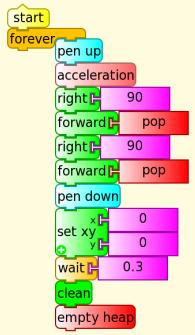
The 'Acceleration' block pushes the acceleration for the x,y,z axis onto the heap, this includes gravity, resolved into these 3 components. The artan of the x and y components is the angle of the line pointing towards the lowest part of the screen.

Source

An alternate solution:

Labels: , , ,

Tuesday, June 14, 2011

Orbital motion


Law of gravity

f=G ma
mb/r2
a=G ma/r2
ay=a sin(theta)
ay=a y/r
ay=G ma y/r3
r=(x2+y2)0.5
ax=Gmax/(x2+y2)1.5

ay=Gmay/(x2+y2)1.5

Then for each time step
Vx=Vx+ax
Vy=Vy+ay
x=x+Vx
y=y+Vy

Source

Labels: , , ,

Saturday, May 14, 2011

Graphing pitch and volume

Different ways of displaying pitch and (measured a little later) volume using TurtleArt

Direction = pitch, radius= volume

with only dots at the end of the line

colour determined by volume (measured a little later again)

x = pitch, y=volume

Challenges:
  • No code is given here, create these graphs
  • Make other graphs
  • A third variable to graph is number of occurrences of a pitch/volume pair
  • Can you get useful information from these graphs? Can you tell speech from music, TV program from advertisment?
  • The pitch block only shows the pitch of the loudest component. This is derived from a FFT (Fast Fourier Transform). Can you program a Python block to show all the spectral components and their amplitude? (Look at the source to see how the FFT is done)
  • With more than one laptop you can log more data. Can you combine data from multiple laptops and graph it? How will you synchronize the data?

Labels: , , ,

Monday, May 09, 2011

Turtle Art and USB serial devices

Using the Python block to interface with a USB serial device (tested with the Arduino)

Requires the Pyserial library. The recommended install procedure does not work because it requires a developer installation of Python python2.6-dev

Instead copy the serial directory here to the directory home/olpc/Activities/TurtleArt.activity

Load the Python block with this code

Tested on an Arduino, the Arduino had a simple echo program loaded using the Arduino IDE on another computer but this should work with any board with a FTDI FT232R USB serial chip

Ideas for controlling devices with the FTDI FT232R USB serial chip here

Labels: , , , ,

Sunday, May 08, 2011

Turtle calculus

Its easy to plug in various functions as a graph's gradient in Turtle Art. The resulting graph is the integral of the function used as the gradient. In the below case, the gradient is 1 and its integral is a straight line, f(x)=x


Plug in a linear gradient, -2+x/100, and make a parabola with zero crossings at x=0 and x=400


A quadratic gradient generates a cubic with zero crossings at x=0 and x=300

The integral of sin is -cos
(by the chain rule)

making dy/dx =y gives an exponential curve
but a nonzero value at x=0 is necessary, in this case forward 1 means f(0)=1
starting at 0, f(0)=0 has a solution of a straight line f(x)=0


Challenges
Graph for negative x
Graph the exponential for f(0)=-1 explain
The exponential above is for dy/dx = y/100 what exactly is the formula for the graph?
Find more interesting integrals
Graph the derivative of a function
Iteratively solve d2y/dx2 =-y
Explain the offset in the graph of -cos
A step size of 1 is used, what error does the step size introduce?

Labels: , , , , ,

Friday, April 08, 2011

Turtle division drill

Source

Challenge:
This could be turned into a 2 player online game. Writing to the screen is shared in a shared session. Add a score display and displace one player left and the other right.
Hint: you cannot remotely erase the other player's screen but you can draw a blank rectangle.

Labels: , , ,

Wednesday, April 06, 2011

TurtleArt die or spinner


Enter the number of faces (2-9) and then it tosses the die when you press a key.
source

Labels: , , , ,

Monday, April 04, 2011

Fractions and decimals 4th grade maths

Fractions
TurtleArt project to meet outcomes 4N3 to 4N6 in the 4th grade math curriculum. Enter a single digit numerator and denominator to hit a target which is expressed as a decimal 0<1.

Open the source and paste into TurtleArt.
Could be improved with rewards and score.

Multiplication version
Source

Counting
Enter the number of balloons. If the turtle hits the top balloon, all are popped.

Source

Labels: , , , ,

Sunday, April 03, 2011

Turtle flip and rotate, 4th grade maths

An activity in Turtle Art to meet the 4th grade curriculum item "4.G.7 Describe and apply techniques such as reflections (flips), rotations (turns), and translations (slides) for determining if two shapes are congruent"

A number of shapes are randomly generated (in this prototype just a right angle triangle and a trapezium) unrotated and unflipped on the left and randomly rotated and flipped on the right. The student flips and rotates to match the two polygons.

In boxes (variables) 11 to 19, the trapezium is stored, distance, rotation, distance, rotation ... and terminated buy -1. Similarly, the triangle is stored in variables 21 to 27.

poly is a random number, either 10 for the trapezium or 20 for the triangle. Rotate is a random number, (0-7) x 45 and flip is either -1 or 1.

The program loops, waiting either a 'F' key, 102 or a 'R' key, 114. The polygon is drawn once on the left unflipped and unrotated (netflip =12 and netrotate =0) and drawn once on the right flipped and rotated (netflip = flip x userflip and netrotate = rotate + userrotate)

drawpoly draws the polygon specified in box 11-19 or 21-27 terminating on a -1 value, the polygon has rotation and flip specified in netrotate and netflip.

The activity could be improved with a score or reward system, sideways translation, more polygons and randomly congruent and incongruent pairs

Source

Labels: , , , ,

Monday, March 21, 2011

Broadcasting your screen to XO laptops

The Activity Turtle Art can be used to broadcast an OLPC XO laptop's screen to other laptops.

In a shared session, images are reproduced on all laptops from TurtleArt V106. Enter the following code in Pippy and save:


Run the following code on the sending XO laptop in Turtle Art, click the Python block to load the Python code:

The Media block points to the screenshot image

["journal", "/home/olpc/Activities/TurtleArt.activity/screenshot.png"]

Either use this TurtleArt file , hand edit the Media block in a word processor or first run Turtle Art in Gnome (which has a file chooser instead of a journal object chooser) to set the Media block to the screenshot image.

All other laptops in the shared session will receive a screenshot every 5 seconds of the sending laptop's screen, whatever it is showing (but not the mouse cursor). Below the received image of the sending laptop's home view.


The image size and the sending interval are adjustable on the sending laptop with draggable blocks, experiment for the best results on your network.

Programming challenges:
  • Add a mouse cursor
  • break the image up into tiles and only transmit changed tiles

Labels: , , , , ,

Thursday, March 03, 2011

Singing turtle

For TurtleArt on the Sugar OS


Load the Python block with the following code


The inbuilt sample code speak.py will incorporate this functionality from V107

Labels: , , , , ,

Monday, February 28, 2011

Turtle talking clock


source
Load the Python block with Speak.py (which is an inbuilt sample from V106)


Labels: , , , ,

Wednesday, February 23, 2011

Turtle Art text to speech

Turtle Art can do text to speech using the Python code block. Enter the following code in Pippy. Load the code by clicking on the python block. Clicking Start will say whatever is plugged into the right of the Python block. The + operator can process strings and numbers.


The following variant from Walter avoids whole numbers (integers) being spoken with a decimal place


As at Turtle Blocks V106, this Python code is included in the inbuilt examples as speak.py

Labels: , , , ,

Tuesday, January 25, 2011

Turtle recursion


It uses push and pop and is possibly a more general solution than TA's built in sample because you dont need to know the result of each recursion's calculations to restore each recursion's local variable.

http://wiki.sugarlabs.org/images/1/13/Tree_recursive.doc

Labels: , , , ,

Thursday, December 09, 2010

Turtle Art music keyboard

Press lower case a to g keys

Type the following code in Pippy and save, then load the Python block by clicking on it


Challenges:
* add an octave
* change to piano keyboard
* show music on the screen
* change note duration, see this
* save and load music, see this

source

en español


Pulse minúsculas teclas a - g

Escriba el siguiente código en Pippy y guardar, a continuación, cargue el bloque de Python haciendo clic en él


Retos:
* Añadir una octava
* Cambio de teclado de piano
* Música aparecerá en la pantalla
* Duración de la nota el cambio, ver este
* Guardar y cargar música, ver este

Labels: , , ,